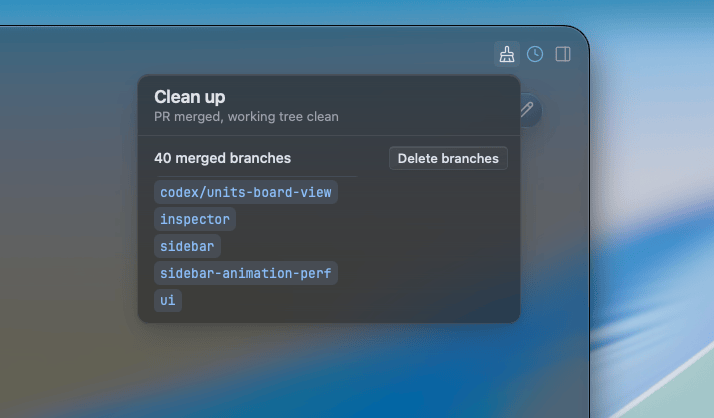
Clean up
When Salience finds eligible merged worktrees or local branches in a project, a Clean up pill appears in the titlebar. Open it to review separate lists for worktrees and branches. The worktree list can show disk space they use; missing sizes are measured when you open the pill.
What appears
Salience checks that a candidate still points to the recorded head of a merged pull request. A worktree must also have a known clean working tree with no untracked files. The project's main checkout, locked worktrees, and worktrees whose state is unknown are left out.
A local branch is left out if it is current, checked out in a worktree, or used as a pull request base. These checks keep the list focused on merged work that appears ready for your review; they are a snapshot of what Salience currently knows.
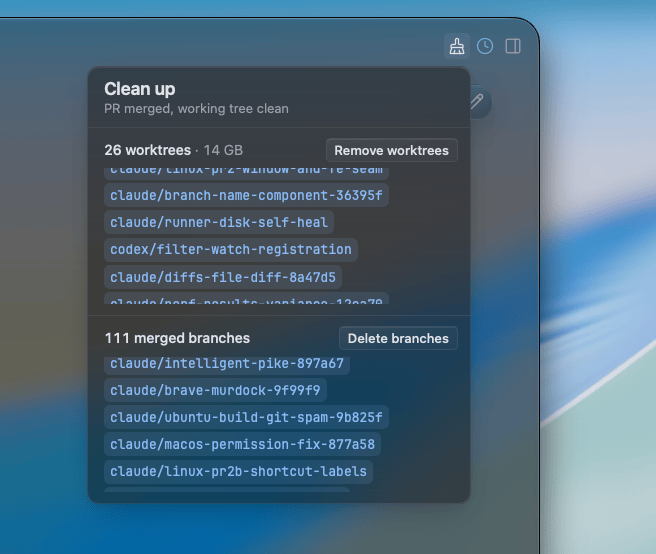
Remove what you choose
Choose Remove worktrees or Delete branches to open a terminal with the corresponding command prefilled. Read it, then press Enter to run it. You can remove worktrees while keeping their branches, or keep the worktrees and delete other branches. Salience does not execute removal from the pill.
The list is a snapshot, so both commands check again when you run them.
Worktrees are removed with git worktree remove, without --force. Git itself refuses any worktree that has picked up changes or untracked files since the list was made.
Branches are deleted with git branch -D. -D is needed because a squash-merged branch was never merged by ancestry, so -d would refuse it. To make that safe, each delete is guarded:
git merge-base --is-ancestor refs/heads/<branch> <merged-head> && git branch -D -- <branch>git merge-base --is-ancestor succeeds only if the branch's current tip is the head that was merged, or behind it. If you've committed to the branch since the pull request merged, the check fails and the branch is kept. Each branch is checked on its own, so one kept branch doesn't stop the rest being deleted.