Review
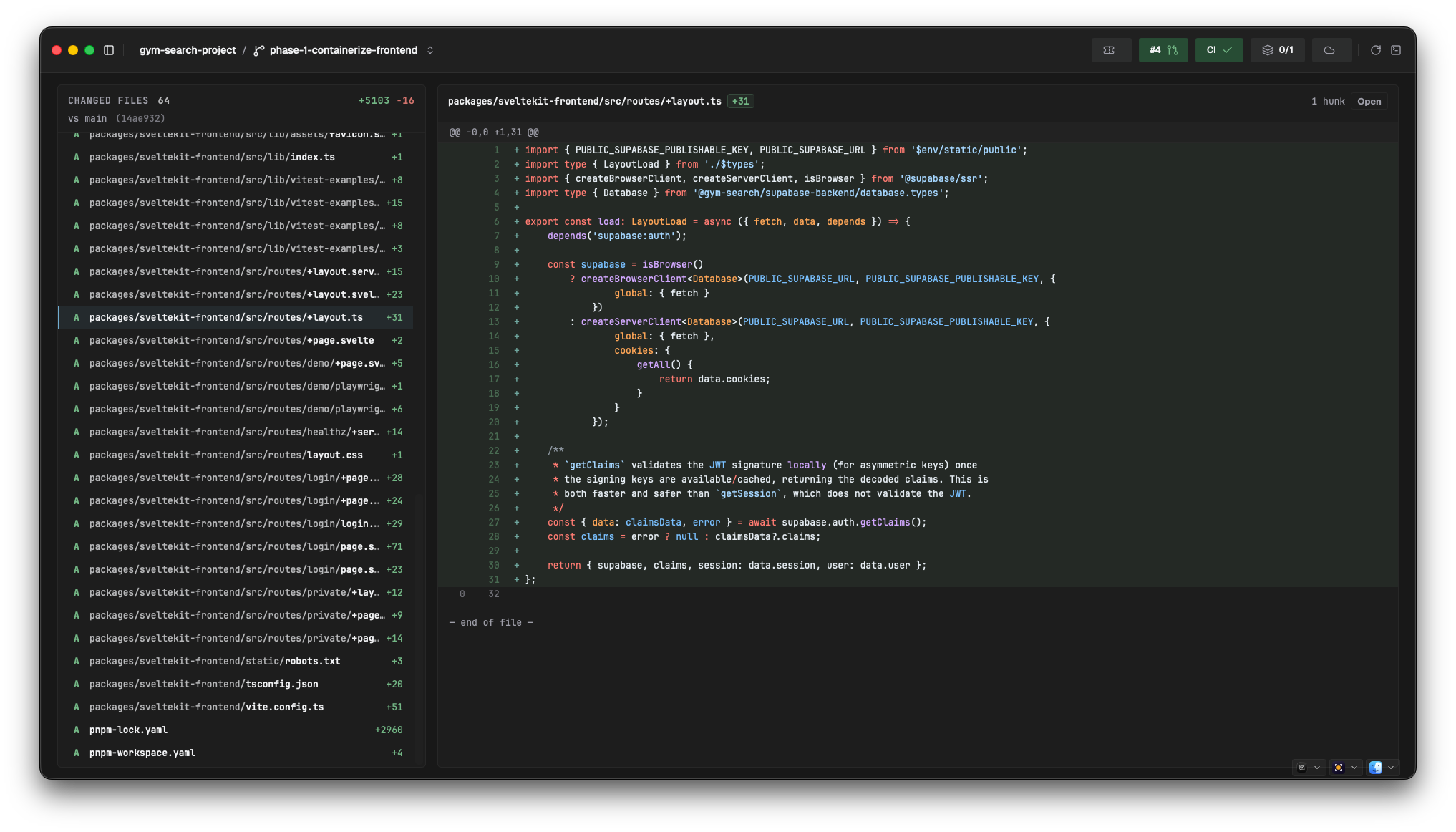
Review shows your branch the way a reviewer will see it: every file that differs from the base branch, with the diff, before you push anything. Open it from Review under Dev Tools in the sidebar.
Picking the base branch
You don't choose one — Salience resolves it, and shows the result in the page subtitle (vs main). The order is:
| # | Rule |
|---|---|
| 1 | The base branch of the open PR for your current branch, if there is one |
| 2 | The repository's default branch from the hosting connector, if it exists locally |
| 3 | Whichever of main, master, or develop exists as a local branch |
| 4 | Nothing — the page says it couldn't determine a base |
Every candidate has to exist as a local branch. If a PR targets a branch you've never checked out, resolution falls through to the next rule. The diff itself is taken against the merge base, not the tip of the base branch, so commits landed on the base after you branched don't show up as your changes. The changed-files header prints the merge base's short SHA.
Changed files and diffs
The left column lists the changed files with a count. Click a row to load its diff; double-click to open the file in your editor.
The diff pane header carries the path, +/− totals, the hunk count, and an Open button that hands the file to your default editor. The body renders hunk by hunk, with old and new line numbers and syntax highlighting. Binary or unchanged files read No diff available.
The ticket
If your branch name contains a ticket key that Salience knows about (LW-508-fix-the-thing), that ticket's tile sits above the diff: summary, assignee, last updated, and the description rendered as markdown. Nothing to configure — the match is on the branch name.
The tile prints a ⌘I hint, but that shortcut is only wired up on the Build page; here the tile is expanded by default and you collapse it by clicking the header.
Opening things in your editor
Anywhere Salience offers "open this file", it hands off to a launcher. Detection runs at startup and again when the app regains focus, so only apps you actually have installed appear.
| Category | Apps |
|---|---|
| Editors | PhpStorm, IntelliJ IDEA, PyCharm, WebStorm, GoLand, CLion, Rider, RustRover, Android Studio, VS Code, Cursor, Sublime Text, Xcode, Zed |
| File manager | Finder |
| Terminals | Terminal, iTerm2, Termius |
You set one default per category — editor, terminal, file manager — from the three pickers in the bottom-right of the window. Editors with a CLI shim installed (code, pstorm, and friends) get used in preference to open -a, because the shim can jump to a line.
What this page isn't
Review is read-only and local. It renders your working branch against a base you have checked out — it doesn't fetch PR diffs, and it has no comment, approve, or request-changes affordances. Those belong to your host, and Salience links out rather than reimplementing them. See My Work for the cross-PR picture.
Next
- Build & run → — commit, run checks, read output
- My Work → — your PRs, tickets, and CI joined into units of work
- Connect your tools → — what makes the PR and ticket data appear